
Skip to content
/faˈɾeɾo/ — lighthouse keeper

Ship on a
different scale.

Take the coding agents you already use into a workspace built for running many at once. Keep the overview, find the details, and direct the work from anywhere.

Private by design · Code and chats live only on your devices

Explore multiple repos: switch workspaces and agents, follow the conversation, and review the changes.Actual interface · read-only example data
ONE APP. THREE HARNESSES.Works with your existing subscriptions. Use OpenRouter via OpenCode to support nearly every single model.
Codex Claude Code OpenCode
01Built-in MCP tools

An IDE your agents
can operate.

Ask in the conversation you’re already in. Your agent can find an earlier decision, spin off a fix, or explore an idea in another chat.

Current conversation

You

We discussed how authentication should work last week. Find that chat and check this against what we decided.

Your agent

Found it. We agreed to keep people signed in for 30 days and ask them to sign in again before changing billing details. This change signs everyone out after 24 hours. I’ll keep the 30-day session and add a test for the billing check.

Source chat

Authentication decisions

Last Tuesday · 2 decisions found

Illustrative conversation · not a live agent

02Isolated worktrees

Control a fleet of agents.
All at the same time.

Review the session fix while another workspace builds team invitations. Each has its own Git branch and working directory. Agents collaborating in the same workspace share its files and can talk to each other. Ship like never before.

Fork a chat to explore a side task Review each task’s diff separately Archive finished work, restore it later
platform / main

Add team invitations

feat/team-invites
ClaudeWorking

Fix session refresh

fix/session-refresh
CodexReady for review

Explore the API

research/api
OpenCodeDone

Code review and private previews, included.

Inspect diffs, manage pull requests, and open the running app from your workspace.

A magnifying glass rests on a lighthouse keeper’s logbook filled with faded handwriting, small sketches of a lighthouse, a ship and a storm, and faint drafting construction circles.

03Conversation history

Never forget
a decision

Forgot why a line was changed, and git blame doesn’t tell you enough?

Farero remembers the entire conversation behind the change: the reasoning, the tradeoffs, and the decisions that led to it.

Both you and your agents can search every previous conversation to find the context you need.

04Remote control

Run coding agents locally.
Control them from anywhere.

Send prompts, answer agent questions, review diffs, and manage pull requests from your phone. Keep connection private with Tailscale.

Farero can keep your Mac alive and autoconnect to hotspot, so you can put your laptop in your bag and seamlessly continue your conversations on your phone.

How to connect
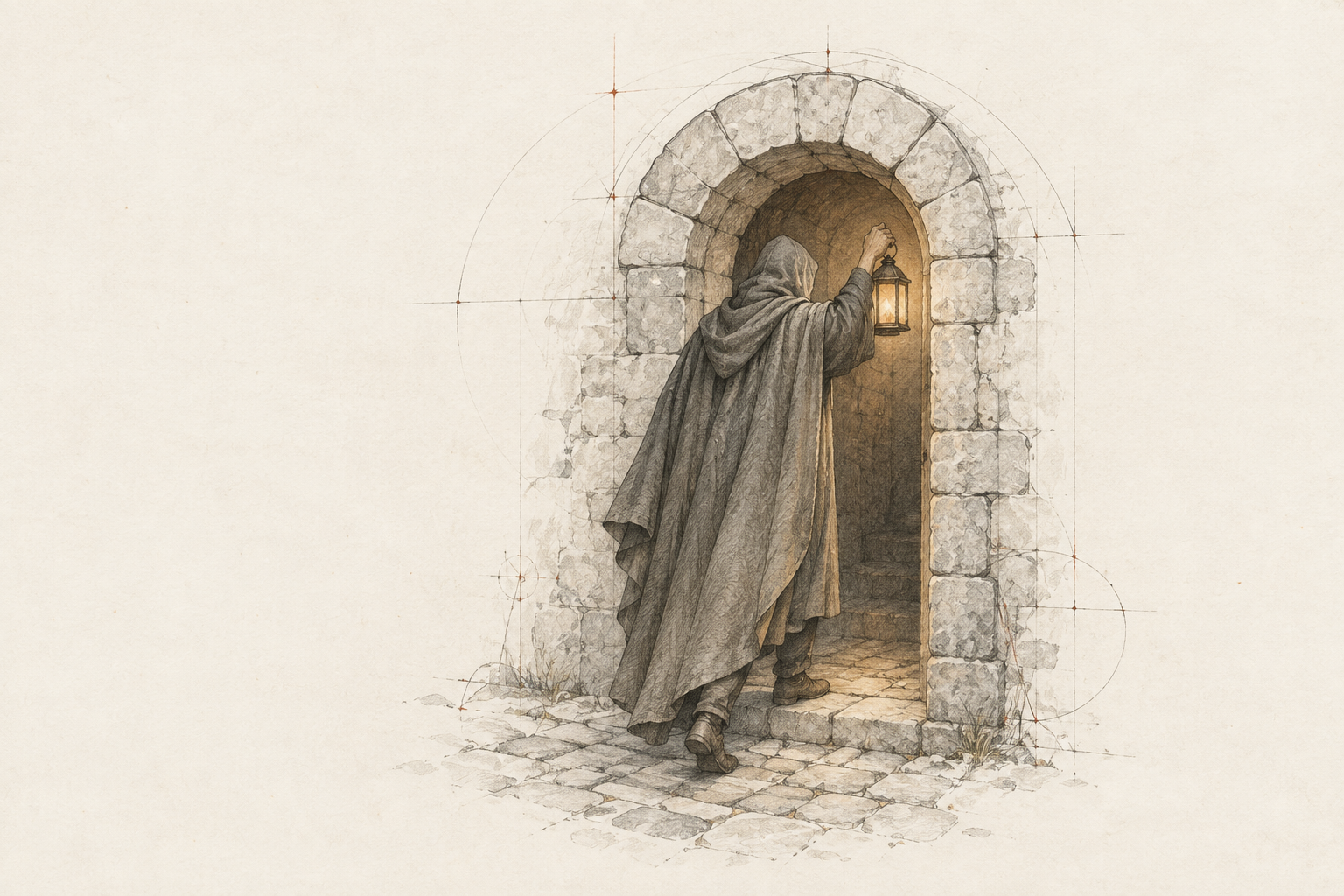
A hooded explorer raises a lantern while stepping through a person-sized stone arch.

AGENT ROLES

Give every agent
a sense of direction.

Set up roles to automatically have have a task be run with a certain model and in a certain way. Like skills but cross-provider so you don’t have to interrupt your work. Run browser QA in a cheaper model, generate images from a Claude chat, anything you can think of.

Farero keeps the configuration shared across providers, and can import your existing Claude agents.

Multi-agent workflowsBeta

Never waste
a single token.

Give Farero the objective. It plans the work, sends routine exploration and setup to lower-cost agents, and brings in stronger models only for the decisions, implementations, and reviews that need them.

With built-in coordination, handoff stays seamless between models.

02 / ExplorationLower-cost legwork
Gets
The immutable objective and one focused assignment. No parent transcript rides along.
Does
Maps the code and constraints. May run tests and write reproductions under .context/scratch/; source files stay unchanged.
Returns
Concise evidence with remaining risks. The investigation stays in its own chat, one hop away if you ever need it.
  • Frozen rolesPlanning, exploration, and implementation are locked for the run.
  • Focused briefs inObjective plus assignment. Never the whole history.
  • Concise reports backEvidence and risks. Earlier digging stays put.
  • Fresh thread per agentEvery workflow chat owns its provider thread.
Illustrative workflow · roles configured by youHow Auto picks the model

05Auto model

Model selection,
based on the task.

Give Farero the task. Auto chooses from the models best suited for the task. It also knows your usage limit, so work will be perfectly distributed between your AI subscriptions.

  1. 01 / Quick edit

    Change the button text from “Sign Up” to “Get started”.

    Muse Spark 1.3Quick edits

    A precise change with a clear result. A lightweight model fits the task.

  2. 02 / Explore ideas

    Suggest three ways to simplify our onboarding flow. Explain the tradeoffs.

    Opus 5.5Product thinking

    An open-ended task that calls for useful options and considered tradeoffs.

  3. 03 / Deep investigation

    A few customers are charged twice after a connection drops. Logs look normal and we can’t reproduce it. Find out why.

    GPT 6 AstraDeep investigation

    An intermittent failure with no reliable reproduction. Trace the evidence across retries, requests, and payment events.

Illustrative selections. Your available models, profiles, and routing settings determine the choice.

06Context & plan usage

Know when your chat
needs more room.

Deep into an investigation? See how much context the chat has used, then compact the conversation or fork it to continue. Check provider usage limits and reset times before starting more work.

Chat context64% used
Instructions Messages Reasoning Tools

07Setup & FAQ

Before you install.

How Farero fits into your setup.

Where do the agents run?

On your computer. Farero runs the Codex, Claude Code, and OpenCode harnesses locally. Model requests still go to the provider you use; local hosting does not mean offline inference.

How does remote access work?

For private access, install Tailscale on your computer and phone and connect them to the same tailnet. Farero can also use a public connection when you need access without Tailscale. Open Farero’s connection menu and scan the phone QR code to connect. On macOS, Farero can keep the computer awake while agents are active, and its optional no-sleep setup supports running with the lid closed.

Which providers can I use?

Codex, Claude Code, and OpenCode. Sign in with the authentication supported by each provider. Your provider’s subscription, API charges, and usage limits apply. Available models and controls differ by provider.

What do I need to install?

Farero supports Apple silicon Macs, Windows x64 and x64 desktop Linux with systemd. Install Git first (Command Line Tools on macOS, Git for Windows on Windows, your package manager on Linux). Farero bundles its own Node runtime. Tailscale is needed for private remote access.

Is every agent in a separate worktree?

Each workspace has a separate Git branch and working directory. Agents collaborating in the same workspace share its files and can talk to each other. Worktrees separate tasks; they are not security sandboxes.

What is still in beta?

Call center and Workflows are beta features. Calls happen in the browser; phone-number calling is not included. Keeper is coming soon. Windows and Linux do not currently support keep-awake, screen-lock detection, or Wi-Fi controls. On Linux, Farero keeps running after you log out, including when you close an SSH connection.

GET STARTED

Install Farero.

Farero runs everywhere; your desktop, a laptop, on WSL, or a remote server.

Apple silicon · Git required
Installing on a server or VM? Show install command
TerminalINSTALL WITH ONE COMMAND
curl -fsSL https://updates.farero.ai/install.sh | sh

Includes the runtime and automatic updates.

View install script

My year on GitHub.

4,751contributions since I started Farero in August, out of 10,804 in 2026.

Daily GitHub contributions for hyldmo in 2026: 10,804 contributions, 4,751 of them since August 9, 2026.
DateContributions
January 1, 20260
January 2, 20261
January 3, 20266
January 4, 202636
January 5, 20269
January 6, 202640
January 7, 202620
January 8, 20265
January 9, 20261
January 10, 20263
January 11, 20260
January 12, 20267
January 13, 202617
January 14, 202614
January 15, 202614
January 16, 202623
January 17, 20261
January 18, 20261
January 19, 202623
January 20, 202628
January 21, 20262
January 22, 20261
January 23, 20267
January 24, 20261
January 25, 202614
January 26, 202646
January 27, 202617
January 28, 202610
January 29, 202611
January 30, 202617
January 31, 20261
February 1, 20260
February 2, 20261
February 3, 20266
February 4, 202610
February 5, 202642
February 6, 202611
February 7, 20266
February 8, 20262
February 9, 202614
February 10, 202613
February 11, 202623
February 12, 202628
February 13, 202611
February 14, 20264
February 15, 202610
February 16, 202627
February 17, 202615
February 18, 202612
February 19, 202648
February 20, 202622
February 21, 202625
February 22, 202614
February 23, 2026226
February 24, 202663
February 25, 202649
February 26, 202651
February 27, 202635
February 28, 202640
March 1, 202619
March 2, 202637
March 3, 2026126
March 4, 202696
March 5, 202622
March 6, 20268
March 7, 202617
March 8, 202620
March 9, 202629
March 10, 202635
March 11, 202625
March 12, 202638
March 13, 20268
March 14, 202615
March 15, 20267
March 16, 202626
March 17, 202656
March 18, 202662
March 19, 202674
March 20, 202618
March 21, 202620
March 22, 202635
March 23, 202640
March 24, 202612
March 25, 202613
March 26, 202618
March 27, 202634
March 28, 20269
March 29, 202612
March 30, 20267
March 31, 202615
April 1, 202613
April 2, 20261
April 3, 202623
April 4, 202621
April 5, 202615
April 6, 202614
April 7, 202619
April 8, 20261
April 9, 20269
April 10, 202656
April 11, 202616
April 12, 20261
April 13, 202629
April 14, 202635
April 15, 202612
April 16, 202622
April 17, 202610
April 18, 202610
April 19, 202627
April 20, 202626
April 21, 202629
April 22, 202641
April 23, 20267
April 24, 202614
April 25, 20260
April 26, 20265
April 27, 202618
April 28, 202619
April 29, 202673
April 30, 202612
May 1, 20261
May 2, 20261
May 3, 20262
May 4, 202638
May 5, 202631
May 6, 202644
May 7, 20267
May 8, 20266
May 9, 202645
May 10, 202615
May 11, 2026112
May 12, 202614
May 13, 20264
May 14, 202611
May 15, 20260
May 16, 20261
May 17, 20260
May 18, 202622
May 19, 20266
May 20, 202625
May 21, 202638
May 22, 202647
May 23, 20260
May 24, 20261
May 25, 20260
May 26, 20267
May 27, 202614
May 28, 202617
May 29, 202611
May 30, 20261
May 31, 20268
June 1, 202616
June 2, 20260
June 3, 20269
June 4, 202623
June 5, 2026119
June 6, 20267
June 7, 202639
June 8, 202692
June 9, 202619
June 10, 202642
June 11, 202627
June 12, 202654
June 13, 202638
June 14, 202644
June 15, 2026176
June 16, 20268
June 17, 2026114
June 18, 2026101
June 19, 202678
June 20, 202617
June 21, 20261
June 22, 202636
June 23, 202646
June 24, 202628
June 25, 20267
June 26, 20260
June 27, 20261
June 28, 20261
June 29, 202630
June 30, 202625
July 1, 202610
July 2, 202681
July 3, 2026132
July 4, 202663
July 5, 202677
July 6, 202685
July 7, 2026105
July 8, 202620
July 9, 20265
July 10, 20262
July 11, 202629
July 12, 202616
July 13, 202617
July 14, 20268
July 15, 202646
July 16, 202623
July 17, 202624
July 18, 202616
July 19, 202622
July 20, 2026145
July 21, 202660
July 22, 202643
July 23, 202646
July 24, 202629
July 25, 202618
July 26, 20266
July 27, 202667
July 28, 202616
July 29, 202666
July 30, 202618
July 31, 202610
August 1, 20263
August 2, 202633
August 3, 202645
August 4, 202625
August 5, 202638
August 6, 2026122
August 7, 202611
August 8, 202629
August 9, 20268
August 10, 202627
August 11, 202615
August 12, 202655
August 13, 202646
August 14, 202621
August 15, 20260
August 16, 20261
August 17, 20263
August 18, 202653
August 19, 202661
August 20, 202630
August 21, 202638
August 22, 20263
August 23, 202611
August 24, 202671
August 25, 202653
August 26, 202685
August 27, 202672
August 28, 2026141
August 29, 202633
August 30, 202643
August 31, 2026135
September 1, 202678
September 2, 202667
September 3, 2026107
September 4, 202680
September 5, 2026134
September 6, 2026138
September 7, 202692
September 8, 2026164
September 9, 2026154
September 10, 2026117
September 11, 2026128
September 12, 202671
September 13, 202677
September 14, 2026129
September 15, 2026110
September 16, 202645
September 17, 202695
September 18, 202652
September 19, 202684
September 20, 202631
September 21, 202672
September 22, 202666
September 23, 202682
September 24, 202695
September 25, 202660
September 26, 202675
September 27, 202627
September 28, 202652
September 29, 202657
September 30, 202647
October 1, 202687
October 2, 202634
October 3, 202613
October 4, 202629
October 5, 202694
October 6, 202650
October 7, 202615
October 8, 202631
October 9, 202642
October 10, 202611
October 11, 20262
October 12, 202634
October 13, 202643
October 14, 202620
October 15, 2026118
October 16, 202622
October 17, 202610
October 18, 20260
October 19, 202653
October 20, 202649
October 21, 202631
October 22, 202625
October 23, 202645
October 24, 202612
October 25, 20261
October 26, 202625
October 27, 202652
October 28, 202653
October 29, 202694
October 30, 202639
October 31, 202613
November 1, 202612
November 2, 20261
November 3, 2026Not yet
November 4, 2026Not yet
November 5, 2026Not yet
November 6, 2026Not yet
November 7, 2026Not yet
November 8, 2026Not yet
November 9, 2026Not yet
November 10, 2026Not yet
November 11, 2026Not yet
November 12, 2026Not yet
November 13, 2026Not yet
November 14, 2026Not yet
November 15, 2026Not yet
November 16, 2026Not yet
November 17, 2026Not yet
November 18, 2026Not yet
November 19, 2026Not yet
November 20, 2026Not yet
November 21, 2026Not yet
November 22, 2026Not yet
November 23, 2026Not yet
November 24, 2026Not yet
November 25, 2026Not yet
November 26, 2026Not yet
November 27, 2026Not yet
November 28, 2026Not yet
November 29, 2026Not yet
November 30, 2026Not yet
December 1, 2026Not yet
December 2, 2026Not yet
December 3, 2026Not yet
December 4, 2026Not yet
December 5, 2026Not yet
December 6, 2026Not yet
December 7, 2026Not yet
December 8, 2026Not yet
December 9, 2026Not yet
December 10, 2026Not yet
December 11, 2026Not yet
December 12, 2026Not yet
December 13, 2026Not yet
December 14, 2026Not yet
December 15, 2026Not yet
December 16, 2026Not yet
December 17, 2026Not yet
December 18, 2026Not yet
December 19, 2026Not yet
December 20, 2026Not yet
December 21, 2026Not yet
December 22, 2026Not yet
December 23, 2026Not yet
December 24, 2026Not yet
December 25, 2026Not yet
December 26, 2026Not yet
December 27, 2026Not yet
December 28, 2026Not yet
December 29, 2026Not yet
December 30, 2026Not yet
December 31, 2026Not yet

IN DEVELOPMENT

Beta

Call center

Talk through the work when typing is slow. Ask which agents need you, decide what happens next, and confirm the exact instructions before sending them.

“Which workspaces need my input?”

“The session fix needs a test decision. Team invitations are still in progress.”
Illustrative call · browser voice · saved call history
Coming soon

Keeper

You already told an agent how your team writes tests. Keeper is being built to learn preferences, project decisions, and recurring corrections from your chats for future conversations.

Less repeating the decisions you’ve already made.